Your Client Asks for a Change. You Know What It Touches.
The Friday 4 PM Problem
You know the Friday 4 PM email. The project manager forwards a client request with a note: "what does this touch?" You open a model that may already be out of date. You hunt for the latest export. You ask around about which sheets changed. By the time you have an answer, it is Monday and the client has moved on.
That delay costs more than a weekend. It costs trust. When a client asks for a change and you cannot say what it affects, they question your control of the job. They start asking whether someone else would have the answer faster.

The root problem is that the project lives in pieces. One version in email. One markup in Bluebeam. One thread in Teams. Every change means chasing: which model is current, who changed what, which trade is affected. That is not coordination. That is detective work, and it eats about 11 hours a week.
BidLight puts the project in one place, inside Revit and Navisworks. Every publish is a versioned snapshot with its own files, author and milestone. Compare any two revisions and you see what changed element by element, by category: structural, MEP, envelope, interior. So when the client asks about moving a wall, you open the diff and answer.
What Winning Teams Do Differently
Teams that run clean jobs do not have more hours. They have better information at the right moment. When a client asks about moving a wall, they do not say "we will get back to you." They open the comparison, point to the affected systems and say who has to act.
This is not mind reading. It is having a record that stays in sync with the model. With BidLight, you see what a change touches in about 15 minutes instead of a 90-minute meeting. The affected elements are listed by category, so the right trade hears about it the same day.

Clients notice the difference. When you can say in the same meeting that moving the wall touches two duct runs and a beam, and that the MEP lead already has the issue, the client stops treating changes as a risk. They treat you as a partner.
That is the real value. It turns a worried conversation into a planning one. You stop being the coordinator who says "let me check." You become the one who says "here is what it touches, here is who owns it."
The Hidden Cost of a Slow Answer
Think about the last time a client asked for a change and you had to go back to the model. You spent two hours working out which version was current. Then you called around to find which sheets were affected. Then you wrote the emails to the trades. The cost of that change was not just the change. It was the hours you spent finding out what it touched, plus the work you did not do while you were at it.

Clients do not see that cost. They see a slow response. They see a team that looks disorganized. They start to doubt that you can hold the schedule.
And the field sees it too. A change nobody flagged turns into rework. A clash that sits unresolved can burn $15K to $50K a week in idle field labor. A clash found in the model costs about $50. The same one found in the field costs $5,000 to $50,000. The only difference is when someone saw it.
With BidLight, the record is current because it is built from each publish. You answer fast. You save hours of reconciling. You keep your time where it belongs: on coordination and decisions.

How BidLight Turns a Change Request Into a Tracked Issue
Change requests are often seen as a headache. They are also a chance to show control. When you can say what a change touches and who has to act, the change gets handled instead of drifting.
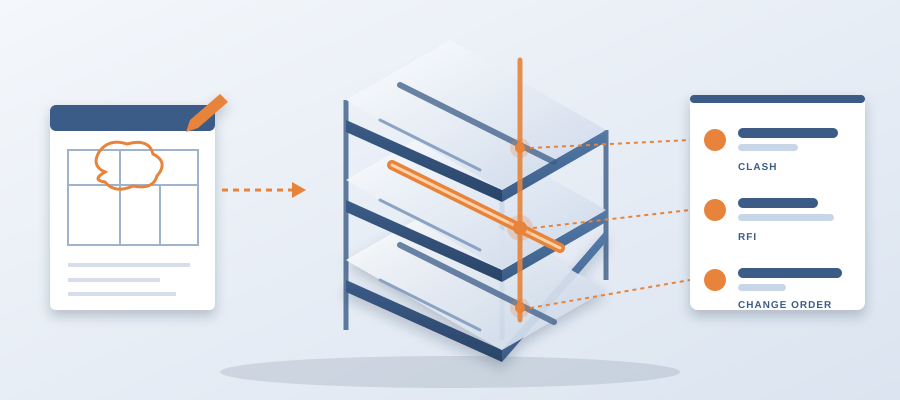
Here is the sequence. The client asks. You compare the current revision with the last one. The diff lists the elements that moved. You pin an issue to each one that needs action. Every issue carries the sheet and the revision that raised it. Each gets an owner, and that owner finds it in the 6am digest the next morning.
Closing is gated. An issue closes only with a screenshot, a tagged user and the model commit that delivered the fix. So when the client asks later whether the change was fully handled, you can show the record. Not an email chain. The commits.
The project view also shows who is behind. If one discipline has left the change sitting for a week, you see it while there is time to move work, not at the next GC meeting three weeks after the slip started.

From Change Meeting to Close in Minutes
Say the client asks to move a wall three feet east. In the old process that meant a couple of hours opening models, checking sheets and writing to the trades. With BidLight, you publish the revised model, compare it with the last one and read off the touched elements.
You walk into the next meeting with a short summary of the effect on the model. Which categories changed. Which elements. Who owns each issue. The client sees that you are prepared. They see that you have a grip on the project.
For contractors this matters even more. You can send a change request to the trades with the exact elements attached. They do not have to hunt through the set. They do not have to guess which revision you meant. The issue is pinned to the geometry, so it is clear.

On the hyperscale programme this approach came to 18,000+ hours saved and $12.3M in cost saved. That is time the team used to move work forward instead of chasing old changes.