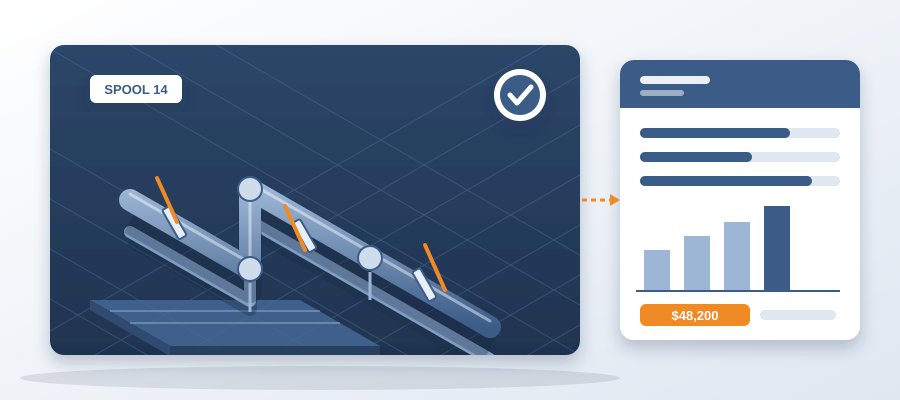
The spool run was cut from a coordinated model, not a hopeful one
The Real Cost of a Hopeful Spool
You cut a spool from a model that hasn't been fully coordinated. The model looked clean enough. The spool went to fabrication, and then to the deck. It doesn't fit. Now you're paying for rework in the field, where a clash costs $5,000 to $50,000. That same clash, caught in the model, costs about $50 to fix.
The math is brutal. A single spool revision can tie up a crew for days. Multiply that by every spool run on the job, and you're looking at $15K to $50K a week in idle field labor behind unresolved clashes. That's money you never get back.
Hopeful spools come from hopeful models. You hope the model is current. You hope the hanger locations are right. You hope the other trades have updated their stuff. Hope is not a coordination strategy. It's a bet against your own margin.

The alternative is cutting spools from a coordinated model, one where every change has been versioned, diffed, and resolved. That's what BidLight gives you. Not a separate portal. Not a hopeful guess. Coordination inside Revit and Navisworks, on the model your team already works in.
So how do you get from hopeful to coordinated? It starts with catching clashes in the model, where they cost about $50, instead of in the field, where they cost $5,000 to $50,000. BidLight pins every issue to the element it concerns, so you know exactly what to fix and where. You close it only with proof: a screenshot, a tagged user, and the model commit that fixed it. That's how you cut spools you can trust.
Why Uncoordinated Spools Slip Through
Uncoordinated spools slip through because of version gaps. You think you're looking at the latest model, but you're not. The mechanical subcontractor updated their file three days ago. The structural model changed yesterday. You're cutting spools from a stale export, and you don't know it.
That's where the 11 hours a week goes. Coordinators spend it working out which model version is current. Checking file dates. Comparing PDFs. Chasing updates across Teams, email and Bluebeam. It's a mess, and it's expensive.

BidLight fixes that. Every export is versioned and compared element by element, by category: structural, MEP, envelope, interior. You see what changed in about 15 minutes instead of a 90-minute meeting. So when you cut a spool, you know it's against the latest coordinated model, not a hopeful guess.
The same version control applies to spool drawings. When you issue a spool, it's linked to the model commit it came from. If the model changes, you know. If a clash is found later, you can trace it back to the exact version that was spooled. That's how you avoid the rework cycle.
Spools are only as good as the model they're cut from. A coordinated model has every clash resolved, every issue closed with proof, and every change versioned. That's the foundation for fabrication that fits the first time. Without it, you're just hoping.
Cutting Spools from a Coordinated Model: What It Looks Like
Cutting spools from a coordinated model starts with a single source of truth. In BidLight, that's the live record of the project inside Revit and Navisworks. Every export is versioned. Every change is diffed element by element. You can see exactly what moved, who moved it, and when.

When you're ready to spool, you pull from the latest coordinated model. The spool is automatically linked to the model commit. The fabrication team knows which version to build from. If a change happens after the spool is cut, you get an alert. You can decide whether to revise the spool or hold it.
Issues are pinned to the element. So if a spool contains a pipe that's clashing with a beam, that issue is visible on the spool drawing. It's not buried in a PDF. It's right there, with a screenshot, a tagged user, and the model commit that resolves it. Closing the issue is gated: you can't close it without proof. That means the same problem doesn't come back on site.
The 6am digest tells every owner what they own. So the person responsible for resolving the clash knows it's their job. The project view shows who is behind while there is still schedule to recover. You're not finding out about a delay after the spool is already late. You're finding out when you can still do something about it.
That's how you cut spools from a coordinated model. It's not about hoping the model is right. It's about knowing it is, because every change has been tracked, every issue has been closed with proof, and every spool is tied to a specific version. That's the difference between a spool that fits and a spool that sits in the yard.
The Numbers That Make the Case
The numbers are clear. A clash caught in the model costs about $50. The same clash found in the field costs $5,000 to $50,000. That's a 100x to 1000x difference. And that's just one clash. A typical project has hundreds.

Idle field labor is the silent killer. An unresolved clash can burn $15K to $50K a week. That's crews standing around, waiting for a revised spool. That's equipment sitting idle. That's schedule slipping. And it's all because the spool was cut from a hopeful model.
BidLight users have saved 18,000+ hours and $12.3M in cost on a hyperscale programme. That's not a small number. That's real money back in the budget. And it comes from doing the coordination in the model, where it's cheap, instead of in the field, where it's expensive.
The time savings are just as real. Coordinators spend 11 hours a week working out which model version is current. With BidLight, that drops to about 15 minutes. That's 10+ hours back per coordinator per week. Multiply that by the number of coordinators on your job, and you're talking about real capacity.
And then there's the 90-minute meeting. You know the one. The one where everyone argues about what changed. With BidLight, you see what changed in 15 minutes. The meeting becomes a decision-making session, not a fact-finding mission. That's how you cut spools faster and with less risk.

Getting Started: From Hopeful to Coordinated
You don't have to overhaul everything at once. Start with one spool run. Pick a run that has been problematic. One where you've had rework in the field. That's your pilot.
Set up BidLight for that run. Version every export. Diff every change. Pin every issue to the element. Close issues only with proof. Use the 6am digest to keep everyone accountable. Watch what happens to the rework.
You'll see the difference quickly. Spools cut from the coordinated model fit. The field crew installs them without cutting, grinding, or rewelding. The schedule holds. The cost of that run drops.
Then expand. Apply the same process to the next spool run. And the next. Soon, every spool is cut from a coordinated model. The hopeful spools are a thing of the past.

Remember, this isn't about buying software. It's about changing the process. It's about deciding that you're going to coordinate in the model, where it's cheap, instead of in the field, where it's expensive. BidLight gives you the tools, but you have to make the commitment.
Plans start at $260 per licence per year for Basics, up to $590 for Max, with custom Enterprise pricing. That's a small price compared to the cost of one field clash. And if you need help, BidLight does done-for-you BIM work: execution plans, 4D sequencing, fabrication detailing and spooling. So you can start cutting spools from a coordinated model right away.