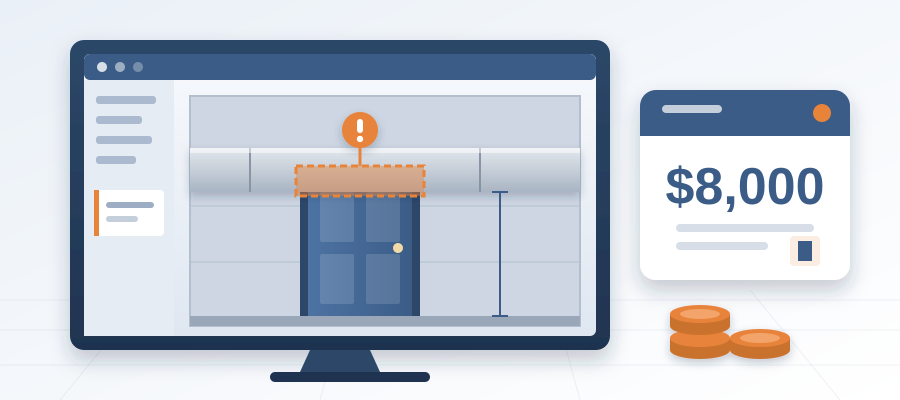
The $8,000 Door
The Hidden Chain Behind a 6-Inch Door Move
When the design moves a door 6 inches, the sheet barely changes. But the steel frame, the header and the door schedule change with it. And that is before the wall moves. A typical door assembly looks simple. Move it six inches and you may trigger a new lintel, a wider header and a revised schedule. If the framing crew has already built the old opening, that is rework: demolish, reframe, reinspect. On a project with 20 doors, one unflagged revision can stack up fast.
Most teams miss this because they work from static drawings. They see the door in about the same place on the plan, so they assume nothing changed. But the model knows the door moved. It knows the wall intersection changed. It knows the header is now too short. The problem is that nobody told the people who depend on it. So you find out at the field walk, or worse, after the drywall is up.
Here is the thing: a door move is not just about the door. It is about the wall assembly, the framing, the finishes and the schedule. When you move a door, you change the wall's structural support. You might need a new header or a different stud layout. The door schedule in your Revit model updates automatically, but the people who built the old opening do not. That disconnect is where money leaks.

Coordination software that lives inside Revit closes that gap. Instead of waiting for someone to notice a revision, the software compares each export against the last one, element by element. When the door moves, the diff shows it. You see which door, which wall and which category it belongs to, and you can raise an issue on that element straight away.
That is how coordination software earns its place: it connects the design model to the people who have to act on it. It does not guess. It reads the actual revisions and shows you the difference. So a 6-inch door move does not slip through. The new header, the longer frame and the revised schedule all land in front of their owners before anyone leaves their desk.
Why an Element Diff Beats a Quantity Schedule
A Revit schedule lists every door, every window, every cubic yard of concrete. But a schedule is just a list. It tells you what is in the model today. It does not tell you what changed since last week, who changed it, or which trade is affected. A version diff, on the other hand, compares two revisions and shows exactly which elements moved. That is the difference between knowing you have 20 doors and knowing door 14 shifted 6 inches in revision C.
BidLight's comparison goes further. Each publish is a versioned snapshot with its own files, author and milestone, and changes are grouped by category: structural, MEP, envelope, interior. A door change lands under interior. The header that now needs to follow lands under structural. You see the chain, not just the first link.

The real value is that the issue stays attached. Pin it to the door. It carries the sheet and the revision that raised it. When the framing trade opens their view, they see the issue on the element, not an email subject line. You do not have to chase an answer or rerun a manual comparison. The record does it for you. That is why coordination software pays off on projects with tight deadlines and frequent revisions.
Compare that to a traditional workflow. You export a view, paste it into a spreadsheet, and spend hours mapping changes to trades. You might use a plugin or a shared drive, but it is still a manual process. And if the model changes again, you start over. That is why so many coordination logs are wrong the moment the design moves.
A versioned record is the bridge between design and field. It gives you the changes, the owners and the proof all in one place. And when it is tied to a live model, it is always current. That is the difference between a log that is a snapshot and a record that is a living document.
What Does Coordination Software Cost? The BidLight Plans
You might be thinking: this sounds great, but what does it cost? BidLight is priced per licence, billed annually or monthly. Basics is $260 per licence per year or $30 a month, Core is $330 or $39 a month, Complete is $440 or $51 a month, and Max is $590 or $69 a month. Enterprise pricing is custom. Every plan includes unlimited projects.

If you are an AIA member, you get a discount of up to 29%. Even without it, a Basics licence is $260 a year. Compare that to a clash that reaches the field: $5,000 to $50,000, against about $50 when it is caught in the model. The software pays for itself the first time it catches a revision that would have become rework.
BidLight also offers done-for-you BIM services. If you do not have the capacity to write your own execution plans or run 4D sequencing, BidLight can do it for you. Those services are scoped to the project, so you bring them in when a job needs them.
When you are evaluating coordination software, do not just look at the monthly price. Look at the time you save. Teams lose about 11 hours a week working out which model version is current. With BidLight, that comparison takes about 15 minutes instead of a 90-minute meeting. That is a week of the coordinator's time back, every week.
So the answer to what it costs is: it depends on the size of your team and the cost of the problems you are trying to avoid. BidLight's plans are transparent, and the saving is easy to see. When you add up the cost of an unflagged door move, the software starts looking pretty cheap.

From Change to Closed Issue: Catching It Before the Field
The real value of coordination software is not the first model upload. It is what happens when the design changes. In the traditional workflow, a change means you rerun the comparison, resend the markup, wait for acknowledgements and hope. That takes days. Meanwhile, a crew is working from the old set.
With BidLight, the diff is ready after the publish. The door moves, the frame changes, the header updates, and each change shows up under its category. You see the impact immediately. That means you can answer "what does this touch?" on the spot. Instead of saying "I will get back to you next week," you say "that change affects these six elements, and here are the owners."
That speed is a real advantage. It lets you lock the design down early, before rework spirals. And the 6am digest tells each owner what they hold, so you are not chasing anyone. The project view shows who is behind while there is still schedule to recover.
Say a client change request comes in and you handle it within the hour. You pin issues to the affected elements. Owners are tagged. Each closes with a screenshot, a tagged user and the model commit that fixed it. The client sees a clean record. You look responsive because you are.

That is what a live record does. It does not just keep your notes straight. It changes how the team works. You become the person who can say "here is what changed and who has it" without breaking stride. And that is what keeps the job on schedule: not the biggest meeting, but the fastest reliable answer.
Start Catching Revisions Before the Field Does
If you are tired of chasing scattered updates and slow comparisons, there is a better way. BidLight lives inside Revit and Navisworks, so you do not have to leave your model. You get a record that is current as the work happens. And when the design changes, you see the effect right away.
Do not just take our word for it. Book a video call and we will walk you through it on your own model. Move a door. Watch the diff show it. See the issue pinned to the element. You will see why a versioned record beats a pile of markups.
And when you are ready, you can also use our done-for-you BIM services. We handle execution plans, 4D sequencing, fabrication detailing and spooling, so you can focus on delivery. Or call +1 480 859 4697 and talk it through.

The bottom line: a 6-inch door move might not seem like a big deal. But on a job, small changes add up. With BidLight, you see every change before it reaches the field. Your issues close with proof, your trades trust the record, and the schedule holds. Stop chasing updates. Start closing issues.