Stop Giving Away Your BIM Expertise. Bill for It.
You Wrote the Promise. Now Prove It.
Your BIM execution plan is a promise. BidLight turns it into proof.
Every firm writes one. The LOD matrix. The model federation schedule. The clash resolution cadence. The data drops. You hand that document over as a sign of competence, then spend six months doing unpaid work to show you lived up to it. Nobody invoices the coordination meetings where you were the only one with the current model. Nobody bills the comparison you ran twice because the architect moved a wall. That is skilled work you are calling client service instead of billable scope.

Clients do not refuse to pay for BIM work. They have never seen what the work is. A BIM execution plan reads like a plan, not a deliverable. No timestamp. No version history. No visible output tied to the promise. The client sees a PDF with your logo on it and a schedule in the back. When you say a coordination issue took two days to sort out, they have nothing to weigh that against.

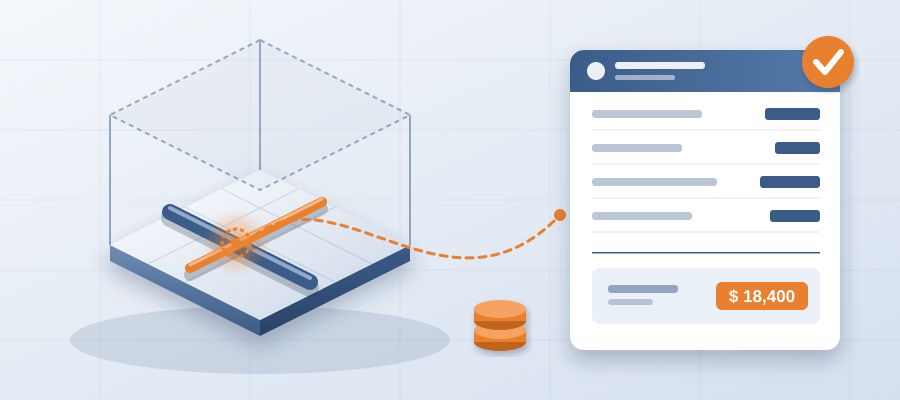
BidLight keeps one live record of the project inside Revit and Navisworks. That record changes the conversation. You publish from the model and every publish becomes a versioned snapshot with its own files, author and milestone. You are no longer asking the client to trust your word. You are handing over a record tied to the same model they can open. That is the difference between a promise and proof.
If you are working out how to bill for BIM expertise, begin here. Not with a rate card. With a record. Once the model carries the history, the expertise is visible and the invoice explains itself. The client is not paying for your hours. They are paying for the clarity only your team could produce.
The Free Work You Are Already Doing Has a Line Item
Think about the last change you did not flag formally. The architect shifted a corridor. The mechanical runs went with it. Your team compared the revisions. You had the model current within the hour and knew exactly what moved. You mentioned it on the weekly call as a heads-up. The client nodded. That was real, defensible coordination scope, and you gave it away because it was easier than writing it up.

That habit costs you. Coordinators and BIM leads both do free work because the handoff between the model and the paperwork is fuzzy. The coordinator owns the Revit file. The project manager owns the correspondence. Neither owns the record. So the smartest thing that happened all week happens in a room and never reaches an invoice. The client learns to expect the answer for free because you keep handing it over for free.

BidLight closes that gap by keeping the record on the model. Every revision is timestamped with its author and milestone, and any two compare element by element. When the corridor moves, the change is listed the same day. You can send the notification right away instead of explaining it in a meeting next Thursday. The work was always there. The instrument to show it was missing.
Try this for thirty days. Every time someone on your team answers a model question that saves the client time or money, jot it down. Do not send it. Just count it. That count is your rate card. It is also your business case for putting a fee on expertise you already deliver.
Your BIM Execution Plan Is a Product, Not a Document
A BIM execution plan in a shared folder is a compliance artifact. A BIM execution plan that drives a live coordination record is a product. Same pages, very different commercial value. The first gets circulated once and forgotten. The second is what your client opens before their own client meeting. That moves you from cost centre to a service you can bill for.

Two things make it believable. The model stays live in Revit and Navisworks, so what you commit to in the plan is the same record that tracks the work. And a closed issue means something: it closes only with a screenshot, a tagged user and the model commit that fixed it. When you tell a client your coordination cadence works, you can show it in the next export, not three weeks later.

That proof is what earns a fee. A client will not pay a premium for a promise. A client will pay for a live record they can take to their lender and their GC. That is a service. You wrote the execution plan that makes the model reliable enough to do it. Charge for that.
Licences run from Basics at $260 a year, with unlimited projects on every plan. Bill one coordination service and the licence is covered. The reason most firms do not bill for this is not economics. They never separated the promise from the proof.
How to Move From Free Answer to Billable Service
Begin with scope language. Rewrite the BIM section of your next proposal so it names billable outputs instead of paragraph descriptions. A monthly coordination report. A change review after each major revision. Each one has an output. Each output has a timestamp. The client can buy it or not. That is a different proposal from the one you are sending now.

Next, back every answer with evidence. When a client asks a model question your team answers in under an hour, BidLight is already holding the supporting comparison. Send it. Not as work product. As evidence. After four or five of those, the client stops seeing your model team as overhead and sees the fastest route to a clear answer. That reputation turns an hourly conversation into a monthly retainer.

Third, publish the changes. If you are wondering how to turn coordination into a service line, this is the door. A coordinator who works from a live record, with every revision compared, does not have to be the cheapest. They have to be the fastest with an answer they can defend. Owners and GCs without the internal capacity will buy that directly. The record is the deliverable.
Finally, keep score. Track how many times clients reference the comparisons you sent. Track how many issues you closed with proof. That tells you which deliverables clients value and what to lead with next quarter.
What Changes When the Record Rides on the Model
First, speed to answer. When every publish is a snapshot, the change summary writes itself. You stop reconstructing what happened two weeks ago from a meeting note. You have a live record of the model at the moment the design changed. That is the artifact that gets trusted. Changes in minutes mean decisions in days, not quarters.

Second, less chasing. Finding out what changed between two exports takes about 15 minutes instead of a 90-minute meeting. Element-level diffs between any two revisions, grouped by structural, MEP, envelope and interior, answer who moved what before anyone asks. Billing for BIM expertise is not about working more. It is about making the work visible so it can be sold.

Third, the record becomes a defense. When a client questions a change, you do not argue from memory. You pull the model state, the issue, the owner and the commit that closed it. Defensible records hold up. They also win trust, because owners want the GC or trade partner who can explain a change without a fight.
BidLight also does done-for-you BIM work: execution plans, 4D sequencing, fabrication detailing and spooling. That matters if you want to offer this service but do not have the bench yet. You can sell it, deliver it with our support, and grow your own team behind it. That is a lower-risk path than hiring three coordinators and hoping the revenue shows up.
The Takeaway You Should Walk Away With
The plain version: your BIM execution plan is a promise. BidLight turns it into proof, and proof is what clients pay for. You already do the expert work. You already produce the answers. The missing piece is that none of it is on an invoice. One live record of the project inside Revit and Navisworks is what puts it there.

If you remember one line, remember that one. Everything else here is method. The $260 licence is not the point. What the licence lets you show and bill for is the point.

So the next step is not buying software. Open your last three project files and add up the free model work you did. Hours. Changes. Answer times. That total is your opportunity. Then decide what to charge for it. BidLight is the instrument. The fee schedule is yours to write.