Three Early-Design Questions a Client Will Pay to Have Answered
The Three Questions You Already Answer for Free
Walk through any early-design meeting and you will hear the same three questions. What changed since the last set? What does that change touch in the model? Who is behind, and is there still time to recover? Your team answers all three on the spot, and the client nods and moves on. Nobody sends an invoice.
That is the leak. Those answers take real work. Someone opens two exports, hunts for the differences, asks around about who owns what, and explains the result in plain language. Multiply that across a project and the free consulting adds up fast. Teams already lose about 11 hours a week working out which model version is current. Every hour of that is time your people could bill, or spend on the next job.
The fix is not to start charging for every phone call. The fix is to name the answers as a service. Call it an early-design coordination review. Set a fixed scope for the three questions and hand over the answers inside a day. The client was already asking. You just never framed it as a product.

BidLight helps here because the answers come from the live model record instead of a fresh round of detective work. You publish from Revit or Navisworks and every publish is a versioned snapshot with its own files, author and milestone. Any two revisions compare element by element, grouped by category: structural, MEP, envelope, interior. When a client asks question two for the third time this week, you are not digging through email. You are reading a comparison that is already there.
Question One: What Changed Since the Last Set?
This is the question every owner asks first, and it is the one most firms answer too slowly. They send it to a coordinator, the coordinator waits for a clean export, the clean export waits on a design decision, and two weeks pass. By the time the answer lands, the design has changed again and the answer is stale.
A client will pay for a fast, defensible answer. Not a guess off the top of someone's head. A list tied to the geometry in front of them, by category, that they can question element by element. That is what makes it billable. The fee is worth it because the decision it unlocks is worth far more than the fee.
Here is how the service works day to day. You publish the current model, or pull the latest from the shared Revit file. You compare it with the previous revision and hand over a change summary with the biggest movers called out. You flag anything unusual. The whole thing takes about 15 minutes for a team that has the workflow down, instead of the 90-minute meeting it used to take, and you bill it as a fixed deliverable.

The sales narrative is simple. We can tell you what changed today, in the design as it stands, and we will update it when the design moves. That sentence converts because it removes a wait. Owners hate waiting more than they hate paying.
Question Two: What Does the Change Touch?
Option review is where the real value hides. The owner wants to compare two layouts, two structural systems, two facade assemblies. Each comparison is a small study, and each study is work. Most firms do the first one free and quietly resent the next five.
Package option review as a retainer. A monthly fee buys a set number of design-change reviews inside an agreed window. Every change they make, you publish, compare and report what it touches and which open issues it affects. They get speed and certainty. You get steady revenue instead of unbilled favors.
The reason this is believable is that the record moves with the model. When the architect shifts a wall, the comparison shows the wall, the elements around it and the issues pinned to them. The live link between Revit and Navisworks keeps one record of the project. No re-entry, no email chain, no version drift.

Compare that to the old path. Someone exports a sheet, marks it up, emails a PDF, waits for a reply and tries to match the reply to the right revision. Repeat for every option. That is where the 11 hours a week lost to version confusion comes from, and it is overhead your firm eats. Charge for the option work and you stop eating it.
This is also where a shared folder stops being the answer. A folder gets you files. It does not get you a comparison that moves when the design moves, and it does not get you a billing line. Clients pay for the second and third comparison, not the first.
Question Three: Who Is Behind, and Is There Time to Recover?
Owners commit to designs before every question is closed all the time. They want to know what that commitment costs them if a problem is still open. This is a schedule question, and it is the easiest one to charge for because it is the one that keeps people up at night.
Accountability framing is a deliverable. You list the open issues, each against the person who owns it, with the age of each one and the point in the schedule where the decision locks. A clash that sits unresolved can burn $15K to $50K a week in idle field labor, so the owner wants to see which ones are close to that line. The document takes a couple of hours, and the client gets a clear view of a decision worth millions.

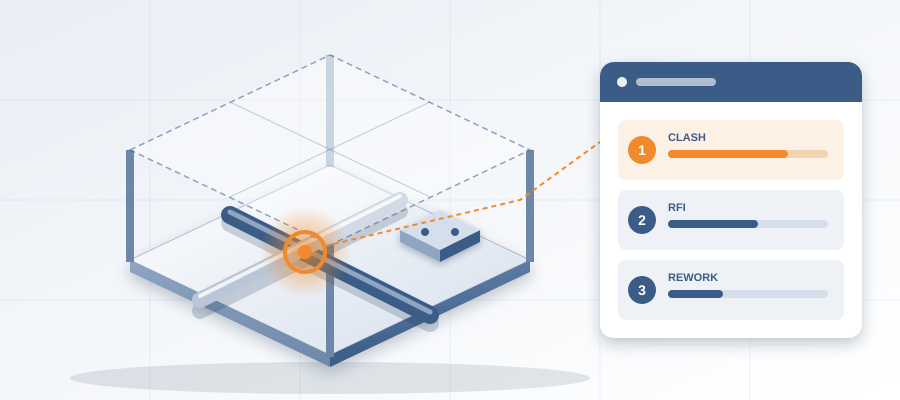
BidLight gives you the material. Issues are pinned to the elements they concern and carry the sheet and revision they came from, so you can show the client exactly which geometry each problem sits on. The 6am digest tells each owner what they own, and the project view shows who is behind while there is still schedule left to move work. When a design changes, the list updates with it, so the deliverable stays current through the whole early phase.
The sales angle is that you are not selling software. You are selling a service built on a workflow that makes the service possible. Clients do not buy tools. They buy answers they trust, delivered fast enough to act on. When you can hand over the third answer inside a day, you become the team they call before they commit, not after.
Turning the Service Into a Sales Narrative
The pitch works when you lead with the client's decision, not your capability. Do not open with the software. Open with the question they asked last week and the time it took to answer. Then explain how you do it, and only then mention that the answer comes from the model record in minutes.
Write it down as a one-page service sheet. Name the three questions. Set the scope for each and for all three together. Set a turnaround promise. Then use it in every early meeting. The client reads it, recognizes the questions, and asks how fast you can start.

One more habit. Put the limit on free work in writing somewhere. A free first look is fine. Free unlimited updates are how unpaid rework piles up. Draw the boundary once and hold it. Clients respect a team that knows what its time is worth.
Where the Value Lands
Think about one mid-size project. Three reviews of what changed. A handful of option comparisons. One accountability report before the design locks. That is work your team was already doing, now scoped and billed. Across a year of projects, it is hours that used to walk out the door with your goodwill.
The bigger win is positioning. Teams that sell early-design answers get called earlier. Earlier calls mean more influence over the design, fewer ugly surprises, and clashes caught in the model at about $50 instead of in the field at $5,000 to $50,000. It is not a better set of drawings. It is a better seat at the table.
You do not need a new team to start. You need a workflow that produces the answer fast enough to sell as a service, and a one-page narrative that frames it. Plans run from Basics at $260 per licence per year to Max at $590, with unlimited projects on every plan. If you would rather hand the work off, there is a done-for-you BIM side too: execution plans, 4D sequencing, fabrication detailing and spooling. Run the three questions on your next project. Bill them. Watch how fast clients say yes when the answer arrives before the meeting ends.

Your client keeps asking three questions. Next time, send the invoice.