The Rebar Schedule Is 6 Tons Off the Model: Catching the Version Gap
Two Screenshots, Six Tons Apart
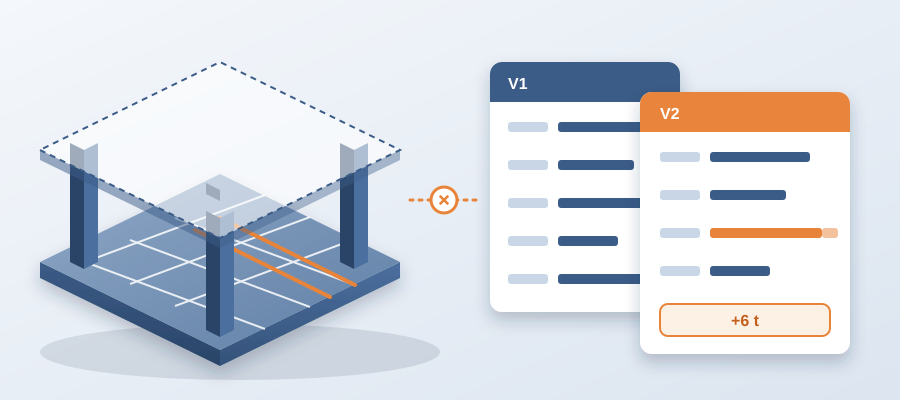
Put the Revit model's rebar schedule on the left and the detailer's shop drawing set on the right. Same project. Same week. Say the left shows 412 tons and the right shows 418. The model is on revision 4. The shop drawings were built from revision 2. That is six tons of steel that does not match what the structure now calls for, and somebody finds out when the cage arrives on site. The gap has a name: version drift. It is the slow wedge between what the model knows and what the people downstream are working from.
The detailer is not the villain. They pulled the geometry three weeks ago. Since then the shear wall got thicker. Two column lines moved. A slab opening shifted. They did what good detailers do: they locked the set and hit the deadline. The model kept moving. Nobody told the drawings.
So if you are asking how to keep rebar schedules in step with a live Revit model, the plain answer is that most teams check once, at hand-off, and trust it afterward. The check freezes a moment that stopped being true.

A set of drawings that leaves the model and never gets compared again is a snapshot. A pour is a decision. Between the two, the design keeps going, and every unflagged change is a small bet against your schedule.
The six tons is real money. Rebar that has to be cut out, re-ordered or re-fabricated means rework, and rework in the field costs $5,000 to $50,000 where the same catch in the model costs about $50. It did not come from a mistake. It came from a version gap nobody owned.
Why Drift Happens When the Model Moves and the Drawings Do Not
Models move because design is a process, not an event. An architect shifts a core. A structural engineer bumps a beam depth to clear a clash. Each change is small and defensible. Stack forty of them across a six-week detailing window and the drift stops being small. It becomes a conflict the field finds first.
The usual hand-off is a one-way street. Once the files leave the model, nothing flows back. Checking again means opening both versions and lining them up by eye. That is why nobody does it on a Tuesday. They do it once, at the deadline, and hope the gap is small.

There is a human cost hiding in this. A coordinator who spends the week working out which version is current is not resolving the clashes that matter. They are not reading the spec against the drawing. They are lining up versions. Teams lose around 11 hours a week to exactly this. The work is necessary, invisible, and nobody gets credit for it.
The usual answer is more discipline: a naming rule, a reminder email, a stricter checklist. It helps for a week. The real fix is to stop depending on memory. The model should be the source, every export should be a versioned snapshot, and the difference between two revisions should be something you can read, not something you reconstruct.
When that is in place, drift stops accumulating. Nobody carries a three-week-old snapshot into a Friday release, because comparing it to the current revision takes minutes.
Put both versions side by side in your next coordination review on purpose. Not to blame anyone. To make the gap visible and stop pretending it was rounding. Once the difference is on the screen, the fix takes minutes. Keeping it invisible can cost you a season.
What Element-by-Element Comparison Buys You
Every time you publish from Revit to BidLight, the export becomes a versioned snapshot with its own files, author and milestone. Pick any two revisions and BidLight compares them element by element, broken down by category: structural, MEP, envelope, interior. You do not scan drawings for what changed. You open the structural category and see the thicker shear wall, the two moved column lines and the shifted slab opening.

That is the answer to which version is current, and it takes about 15 minutes instead of a 90-minute meeting. It runs against the live model, not a stale export. The detailer sees exactly which elements moved since the revision they drew from, and which of their rebar groups those elements touch.
Now the human part. The coordinator still decides what matters. Is this thicker wall a real change to the cage, or just a finish? Does the moved column line collide with something? BidLight shows the change. The person judges it. Your best coordinator spends the day on the judgment calls instead of the version hunt.
That is the split worth defending in a coordination review. People on the decisions. The record on the differences. One model keeping everyone from drifting apart.
When the architect calls at 4:55 PM with a layout change, you are not re-reading drawings for what moved. You compare the two revisions and read which categories changed.

Where the Hours and the Money Come From
Start with the hours. The 11 hours a week spent reconciling versions comes back once the answer is a comparison instead of a hunt. Some of that goes to resolving more clashes. Some goes to reviewing the ones that need judgment. None of it goes to retyping or re-marking drawings.
Then the field. Every week a clash sits unresolved, field labour stands idle: $15K to $50K a week behind an unresolved clash. Crews wait on answers that already exist somewhere in the model. The rebar is held because someone needs to confirm a lap length. The formwork stops because a dimension conflicts across two sheets. A live model record fixes that because the answer traces back to the geometry instead of sitting in a Teams thread.
Issues help here too. Pin the lap-length question to the beam it concerns. It carries the sheet and the revision that raised it. It closes only with a screenshot, a tagged user and the model commit that fixed it. When it comes back in the field as a surprise, you can show who confirmed what and against which commit.
A few weeks of that is worth more than a year of licences. Plans start at $260 per licence per year, with unlimited projects on every plan.
None of this needs a pitch. It needs one number and one reason to believe it. The number is the gap. The reason is the model.

How to Run the Side by Side Check Next Tuesday
Pick one active project where the drawings and the model have diverged for at least two weeks. Publish the current revision. Open the comparison against the revision the drawings were built from. Walk the structural category first, by consequence, not by count. Concrete and steel first, then anything that other trades hang on. That is where drift costs the most.
Mark every change the downstream set does not reflect. Do not argue about who is right yet. Count them and name an owner for each. If it is six tons of rebar, write six tons of rebar. A number on a screen stops being invisible, and an invisible gap is the only kind that survives.
Then trace each gap back to its cause. Look for the model commit, the RFI answer, or the architect's email behind it. That trace is the whole point. It turns a vague "the drawings are wrong" into a documented design change with an owner, and that is a much easier conversation to have with a trade partner.
Once that becomes a habit, the 6am digest does the chasing. Every owner gets their open items each morning, and the project view shows who is behind while there is still schedule to move work. You stop finding out on pour day.

This is also where your reputation shows up. Your reputation is your record holding up. When a trade pushes back, you open the model and show them what changed and when.
So run the check. Two revisions. One list of differences. If the gap is six tons, you know exactly what it would have cost on site. Then decide whether to catch it on Tuesday or pay for it on Friday. Send us a model export and we will run the comparison with you, or reach us at +1 480 859 4697.