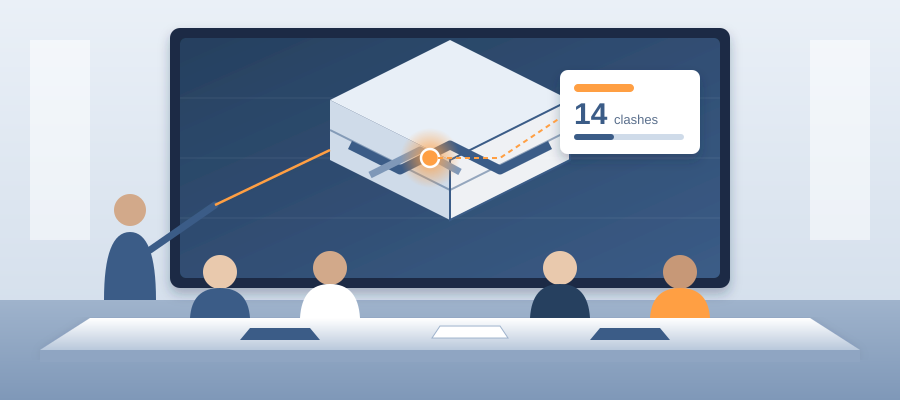
The Walkthrough Meeting Where the Model Answers Before the Question Finishes
The Meeting Where the Answer Actually Matters
Most firms leave that meeting with an action item and a three-day turnaround. The client asked a question in a room full of people, you said you'd get back to them, and the energy in the conversation dropped the moment the answer got deferred.
Here is the shape of it. The architect walks the client through the redesign. A wall moves. A corridor gets wider. Somebody asks what else that touches. Everyone in the room looks at the person holding the model. That person says they will check and come back in a few days, and a small trust cost gets paid right there. The answer the client wanted was a conversation tool, not a deliverable.
Three days later you send a summary. By then the client has talked to two other people, formed opinions, and probably sketched something else. Your answer arrives in a colder room, disconnected from the geometry that prompted it. Nobody remembers which wall was moving when they asked. You end up re-explaining the change before you can say what it affects.

The fix is not a faster follow-up. The fix is having the revisions, the changed elements and the open issues in front of you, in the room, while people watch. That is how BidLight works inside Revit and Navisworks. One live record of the project, every publish a versioned snapshot, so when the design moves you can see exactly what moved.
That changes the meeting. You stop being the person who owes an answer and become the person who can give one. That is a different seat at the table, and it is the seat where a surprise on site gets stopped in the model.
What Happens When the Answer Arrives Three Days Late
A deferred answer does not just inconvenience the client. It changes who owns the decision. If you leave the walkthrough without an answer, the client starts guessing. Guessing turns into an assumption in their head. By the time your summary lands, they are comparing it to a conclusion they reached in a parking lot, and nobody wins that comparison.
The internal cost is worse than it looks. The coordinator who owns the follow-up has to reconstruct a conversation they did not attend. They get a marked-up drawing or a list of verbal changes, and they rebuild intent from fragments. Every one of those reconstructions is a place where a change slips through unflagged, and a change nobody flagged turns into rework on site. Reducing coordination errors on AEC projects starts with removing the reconstruction step entirely.

There is a scheduling tax too. The person who can trace the change is usually the busiest person on the team. Putting that work behind a three-day queue means other issues sit, RFIs wait, and the same coordinator becomes the bottleneck on everything. You pay for that in overtime and in crews waiting on an answer. A clash left open can cost $15K to $50K a week in idle field labor.
The client reads all of this as responsiveness, whether or not it is fair. They do not see the queue. They see a team that took three days to answer a question about one wall. Meanwhile the firm down the street came back the same afternoon, and even if your answer is better, theirs arrived first.
Speed is not a marketing claim here. It is the difference between shaping the change while it is still soft and chasing a change that has already hardened into rework.
How the Live Model Answers the Question
People ask how a coordination team can answer in the room, and the honest answer is that every publish is already a versioned snapshot with its own files, author and milestone. Pick the revision before the redesign and the one after. BidLight compares them element by element, grouped by category: structural, MEP, envelope, interior. The wall that moved is listed, and so is everything near it that changed.

The part that makes it defensible is the record behind each element. Issues are pinned to the elements they concern and carry the sheet and revision they came from. Select the corridor wall and you see the open issues against it, who owns them, and what the last revision did. You read it out, you note what is still open, and the conversation continues instead of pausing.
The workflow is plain. You publish from Revit or the federated model in Navisworks, and the comparison against the previous revision is ready in about 15 minutes instead of a 90-minute meeting. Because it is the same record the whole team works from, the walkthrough becomes a sequence of answers rather than a list of follow-ups.
Model review only works when a person stays in charge of it. BidLight shows what changed and where. Your coordinator decides what it means, which trade has to act, and where the risk lives. That division of labor is what makes the comparison an asset instead of a distraction.
This is also where design alternatives get practical. Instead of arguing about which option disturbs fewer systems, you publish both and compare. You see which elements each option touches and which open issues each would reopen. The comparison takes a few minutes, in front of the client, with the same geometry they are looking at.

Running the Walkthrough So the Record Does the Work
You do not need new meeting skills to make this work. You need the comparison view open next to the model from the first minute, and you need to select elements out loud as the conversation moves. When the client asks about the wider corridor, you click the corridor. The changes and the open issues are there. You read them, you note who owns them, and the meeting keeps moving.
Set expectations early by telling the client what they will see. Say the screen shows what changed between two published revisions, and that anything still open has a named owner and shows in that owner's 6am digest the next morning. That framing protects you and gives the client something better than a promise. They get a clear picture now, with the open items stated plainly, instead of silence for three days.
The real value shows up in the second half of the meeting. Once the client sees the record respond to the model, they start asking better questions. What if we move this wall instead. What if we keep the layout and change the ceiling. Each of those becomes a quick model edit, a fresh publish and a new comparison. That is coordination happening live, not in a workshop three weeks later after the design is locked.
This is also where understanding the audience matters. If you know what the client actually cares about, whether that is schedule, disruption to operations or avoiding change orders, you aim the live model work at that concern. The same comparison reads differently to a facilities director and a developer. Clients who watch their questions get answered in the room do not wonder who is accountable on the next project.

End the meeting by sending the record. Not a note that says one is coming. The actual comparison and the list of issues with owners, out of the same model they just watched. The meeting and the deliverable are the same artifact, and that is the whole point.
Turning the Walkthrough Into Fewer Surprises on Site
Most teams treat this as a favor. They absorb the hours of follow-up, chase the answers across email and Teams, and hope the relationship pays it back on the next project. That math worked when answers were slow and infrequent. It stops working when the answer can be in the room, because the client expects it every time.
The saving is where the field problems used to be. A clash caught in the model costs about $50. The same clash found in the field costs $5,000 to $50,000. Every walkthrough where the change is traced to the elements it touches is a walkthrough where that conversation happens on the cheap side. On the hyperscale programme, the case study shows 18,000+ hours saved and $12.3M cost saved, and it was built on the same habit: see the change, pin the issue, close it with proof.
If you are weighing the tool, plans run from Basics at $260 per licence per year to Max at $590, with custom Enterprise pricing and unlimited projects on every plan. Against the hours your coordinators spend rebuilding history from email, the case is not a hard one to make.

Defensibility is the part clients value. When an answer comes out of a model with named elements, a revision on record and an owner, it survives scrutiny. If the client's board asks why a wall moved and what it set off, you can show the revision, the elements and the issues. That is a different conversation than explaining an email thread somebody forwarded last month.
If you run a coordination team and you want to stop absorbing follow-up hours, the move is to put the model on screen in the next walkthrough and let the comparison ride along with it. Own the record, own the answer.