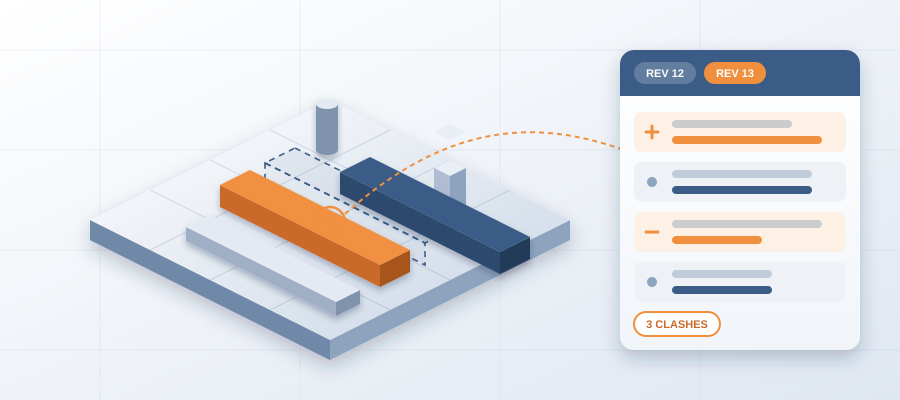
How to Monitor Model Changes Across Trades the Way You Diff a Model
Why Unseen Model Changes Are the Real Rework Problem
A mechanical contractor on a healthcare fit-out publishes a revised headwall assembly on a Tuesday afternoon. The electrical team is still building to the Monday layout. Nobody sees the change until the crew arrives and the conduit no longer fits. That publish was a signal. Nobody on the coordination side saw it until the field called.
Learn how to monitor model changes across trades as a daily habit, not a meeting topic, and the math changes. You are not chasing updates. You are watching for what you already watch in your own model: scope shifts, routing changes, level changes, trades moving into each other's space. Each one decides whether the work lands clean or turns into rework.

Most teams miss this. A publish is a claim about where things are going. A rerouted riser. A shifted shaft. A new ceiling height. A tagged user on an old issue. Each one is evidence of what the next trade has to react to. That is the read you want before the field is open.

If you know BidLight, you know the habit. We keep one live record of the project inside Revit and Navisworks, so every export is versioned and compared element by element. The discipline is the same. Diff the project every week. Act on what changed, not on what you remember from last month.
Set Up a Watch List You Can Maintain
Begin with a short list. Five trades at most, three things each. Structural for grid and level changes. MEP for routing and equipment moves. Envelope and interior for ceiling heights and partition changes. Add the architect's publish feed if you work from their model. Late design moves often show up there before anyone mentions them.
You want two things from every source: a version and a timestamp. The version makes the comparison repeatable. The timestamp lets you line a change up against an issue in your own list. Without it, you cannot tell whether the change caused the issue or the issue made you notice the change.
Use the tools that already fit your workflow. In BidLight, each publish is a snapshot with its own files, author and milestone, so the watch list is already built. The daily 6am digest gives every owner the issues assigned to them. The tool matters less than the cadence.

Pick a weekly window and hold it. Monday morning, 30 minutes, one pass. Look for what changed since the last pass, not for the full picture. A full read every week burns you out in a month. Diff thinking means you only care about what moved.

Log every change in one row: date, trade, revision, what changed and who needs to act. That log is the audit trail for why you raised an issue the way you did. When the GC asks why you flagged a duct, you point at a specific publish and a specific date.
How to Track Milestone Publishes Without Drowning in Noise
Changes show up in stages. A work-in-progress publish. A coordination milestone. A review drop. An issued-for-construction set. A field revision. Catch the change at the early stage, not the last one. The early stage gives you weeks to react before the work is built.
Set a filter by milestone and category. Another for the author who usually moves things first. Most late changes come from the same few people, days before the formal drop. That is your early warning.
When a milestone lands, ask two questions. Does it change the space another trade is working in? Does it change a sheet or a revision someone is still building from? If either answer is yes, that change belongs in an issue, not in a meeting note.

This is where the two halves of the workflow meet. Say the mechanical team publishes a prefab wall panel line. The install space on interior work has changed. If the ceiling trade is working in the same area, they need a reason to know. That reason is an issue pinned to the element and tagged to them. It cannot be silence.

One caution. Do not confuse a work-in-progress publish with an agreed change. Track the gap between the publish and the sign-off. That gap tells you how fast the trade can move. A trade who publishes in March and signs off in October is no threat on the work you are coordinating in April. A trade who publishes and builds in the same week is.
Cluster the Changes Into Topics You Can Act On
Raw changes are noise until you group them. The method is simple. Pull every comparison for 30 days. Write one plain sentence for each changed element about what moved. Then group the sentences by theme. Themes that show up in three or more publishes from three or more trades are real signal. That is how you cluster model changes without a long review meeting.
Typical clusters on a job: ceiling height conflicts by level, riser routes by shaft, equipment room growth, door and wall changes by area. Each cluster maps to a set of issues. A ceiling cluster tells you the plenum is overloaded. A riser cluster tells you to get the trades in a room before the next publish, not after the first field delay.
Run the clusters weekly and timestamp them. Then compare last week to this week. What changed? A ceiling cluster that moved from two levels to five is a schedule event, even if no one raised an RFI about it. You found it before the crew did.


This is where a live record pays off. Once you know a cluster moved, you need the owners and the elements now, not next Tuesday. BidLight reads your Revit and Navisworks model. Comparisons are grouped by structural, MEP, envelope and interior. Issues are pinned to the elements and carry the sheet and revision they came from. A cluster becomes a list of owners in minutes.
The same logic applies to small changes. A door change that sits unnoticed for a week and a ceiling change that sits unnoticed for a month are the same failure at different sizes. A clash that sits 47 days can burn $28,000 in idle field labor. The habit that catches one catches the other.
Turn the Watch Into Accountability
Once the watch runs weekly, fold it into the issue list. Every active area gets a one-page read: what changed, which clusters are growing, who owns the open issues. Attach it to the coordination file. When the GC asks why a trade is behind, you point at evidence, not a gut feel.
This is also where accountability becomes visible. The project view shows every issue against its owner, and the Problem Solver Index shows resolution rates per person. You find out who is behind while there is still schedule left to move work, not three weeks after the slip started.
Watch the calendar. A late publish in the middle of a coordination cycle is not a reason to panic. It is a reason to check your assumptions. Rerun the comparison, look at the changed elements, decide whether the issue still stands. If it does, you proceed with confidence. If it does not, you have time to fix it before the field, not after.


On the hyperscale programme, BidLight helped save 18,000+ hours and resolve 8,900+ issues. That time goes back into reading the model and solving the next clash. The software is not doing the thinking. It takes out the copy-paste so a person can look at what changed.
One more habit. Write down your read on each change and review it 30 days later. Were you right about the riser? Did the ceiling cluster push a delay? That feedback loop turns a watch into a skill. Most teams skip it and stay at the level of noticing. Noticing is not closing.
What to Do Monday Morning
Pick five trades. Make one sheet with date, revision, what changed and who needs to act. Set a 30-minute Monday window and hold it. Pull 30 days of publishes, cluster the changes into themes and timestamp the clusters. Then open your current issue list and see which items those clusters touch.
If you already publish from Revit or Navisworks, the last step takes minutes. You compare two revisions and the changed elements show up. That is the gap between a change that sits in an email and one that sits in your record. If you are still comparing by hand, fix that first. A watch only pays when you can act on what it tells you.
The tool question answers itself fast. BidLight Basics is $260 per licence per year, with unlimited projects on every plan. Check that any alternative gives you the version history and the model link. Those are the parts that matter. We walk you through setup, so your team is not left with a training catalog.


If software is not your lane, BidLight also does done-for-you BIM work: execution plans, 4D sequencing, fabrication detailing and spooling. Either way, the principle holds. One live record of the project inside Revit and Navisworks, and a weekly diff of every trade's publishes feeding it.
Every change has a cost, in your model and in the field. The only question is when you find out. Diff the model weekly and you find out while you can still do something about it.