Your Best Change Order Was Already Decided Before You Documented It
The Three Weeks Between the Move and the Meeting
Here is how it usually goes. The architect shifts a corridor wall 14 inches on a Tuesday. Your superintendent notices it on a markup. Someone takes a photo. Three weeks later you sit in a conference room and someone asks what that move touched, who knew, and when. You have 20 minutes and a laptop.
By then the story is already set in someone else's head. The owner remembers the wall as part of the original scope. The GC remembers a verbal approval on a call. You are not discussing a change. You are negotiating a memory, and the memory is not yours.

That gap is expensive. A crew that sits idle for two days because nobody recorded the move burns real labour on a midsize commercial job, and an unresolved conflict behind a crew can cost $15K to $50K a week. The wall was not the problem. The three weeks were.
Most firms run this loop with five or six systems that do not talk to each other. Revit holds the geometry. Navisworks holds the clash picture. The change list lives in a spreadsheet one coordinator built in 2019. The markups sit in a shared drive that went stale the day it was saved. And the change order log lives in somebody's inbox.
Every handoff between those systems shaves off trust. By the time you reach the meeting, you are defending a story that no one can trace back to the model that generated it. That is the part that hurts in the negotiation.
What the Delay Actually Costs You
Every hour a change sits undocumented is a small bet against your own margin. On a job running 30 open changes at any time, most firms only have real records for a handful. The rest sit in a queue waiting for a human to do the work.

Run it on a simple case. A mechanical relocation takes a senior coordinator hours to trace across versions, write up, and chase for acknowledgment. Do that dozens of times a year and the time goes into finding out what happened, not into preventing the next one. Many coordinators already lose about 11 hours a week working out which model version is current.
The field side is worse. A two-day delay on a small scope costs the labour, plus equipment, plus the ripple into the next task. The unrecovered part is the money you cannot bill because you never had the record in the room. A clash that sat 47 days burned $28,000 in idle field labour. Nobody wanted that number on the change order, and nobody had the proof of when it started.
The 20 minutes you get in the meeting is not enough time to rebuild a defensible history. So most people fall back on a safe, round narrative. It works once. It works badly every time after that, because the other side learns the story was a guess, and next time they push harder.
This is the part that nobody puts on the P&L statement. Undocumented changes are a margin tax you pay quietly, week after week, because no one stacked the cost of the delay against the cost of the work.

Why a Live Model Record Changes the Meeting
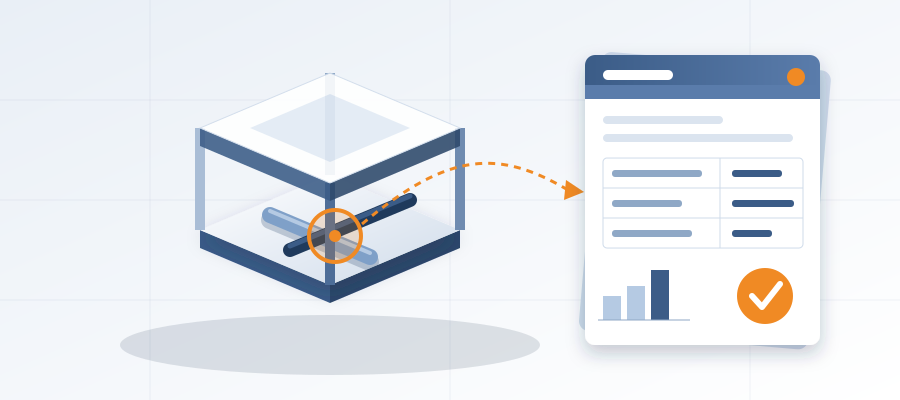
BidLight keeps one live record of the project inside Revit and Navisworks. You publish from the model and each publish is a versioned snapshot with its own files, author, and milestone. Change the geometry, publish again, and the comparison shows exactly what moved, because the record is riding on the same model.
This is the whole idea. Not a dashboard. Not a reporting layer. One record. The wall moved 14 inches on Tuesday, and by Tuesday afternoon the affected elements are in the comparison, grouped by category. You walk into the meeting with a record that traces back to the same geometry the owner is looking at.
The issue side is what makes that record trustworthy. An issue pins to the element it concerns and carries the sheet and revision that raised it. It closes only with a screenshot, a tagged user, and the linked model commit. BidLight does not run automated clash detection. It tracks the changes and the clashes between revisions, so the proof is attached to the element, not to someone's memory.

The workflow changes from a project to a habit. You open the file. You publish. You read the comparison. About 15 minutes instead of a 90-minute meeting for a typical change on a moderate scope. That is the piece that lets you answer the question before it gets asked.
Same record in the room, same record in the change order log, same record when the invoice goes out. When the owner pushes back, you show them the geometry and the date. When the geometry is right, the history is right, and there is no argument left to have.
How to Stop Negotiating Against a Memory
The mistake most teams make is treating the change order meeting as the documenting event. It is not. It is the settlement event. The record should be made the day the design moved, while the geometry, the reasoning, and the person who made the decision are all still fresh.
Build the habit of publishing the model every time the design shifts. Not daily standup, not Friday cleanup. When the wall moves, when the duct reroutes, when the owner asks for a fourth option on the lobby. Fifteen minutes on the clock and the change is on record.

Keep that record in the same place the model lives. If the history is in one system and the geometry is in another, you are back to the same problem with extra steps. This is why BidLight runs inside Revit and Navisworks instead of beside them. The record has to sit where the change happened.
Attach the proof to the change, not to the meeting. When the change order list gets reviewed, the ones with a live record from the day of the move are already closed. The ones that are still open are the ones where you are still building a case. And a 6am digest means nobody has to be chased for them.
If you want the software, plans run from Basics at $260 per licence per year to Max at $590, with Enterprise custom for firms that need to sit on the same record across many projects. Every plan includes unlimited projects. If you would rather hand the whole thing off, BidLight does done-for-you BIM work as well: execution plans, 4D sequencing, fabrication detailing and spooling.
The pitch is plain. Stop chasing scattered updates. Catch the change in the model for about $50 instead of finding out in the field for $5,000 to $50,000. If a reader only remembers one thing from this piece, it should be the live record inside Revit, with every change diffed. That is what makes the change order meeting a formality instead of a fight.

When you are comparing coordination tools for a firm your size, the question that separates the options is not which one has more reports. It is which one keeps the geometry and the record of its changes on the same page. That is the difference between walking into the meeting with a record and walking into it with a story about one. Only one of them survives the second meeting.