Catching Model Changes Before They Hit the Field
The Silent Cost of Small Model Moves
You know the feeling. You coordinate a job from a Revit model, send the package and move on. The architect tweaks a wall by a few inches, or rotates a door slightly. Nobody tells you. The change does not show up in a big way on the drawings, but it changes what gets built. Suddenly, a framing crew is working to the old line, or a duct no longer clears the new wall. You eat the difference.
That 2-inch shift is not just a geometry change. It is a new wall length, a different stud layout, maybe an extra hour of framing that has to be torn out and redone. Multiply that by dozens of small moves across a project, and you have real rework. But you do not see it until the field does, and by then it is expensive.

The problem is that a model review is usually a snapshot. You look at it once, maybe twice, and hope nothing changes. But designs evolve constantly. The only way to catch every change is to compare every export against the last one, element by element. That is where BidLight comes in.
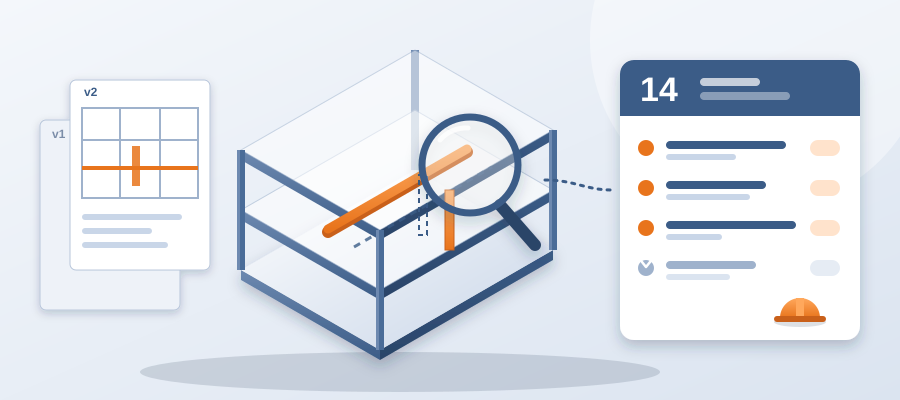
BidLight runs inside Revit and Navisworks and turns every publish into a versioned snapshot with its own files, author and milestone. It identifies exactly what moved, what changed and what stayed the same, grouped by category. You see the effect of that 2-inch shift as a flagged element on your list, not as a surprise on the job site.
The result? You walk into the field knowing exactly what changed. You can tell each trade what it touches. And you stop losing time to silent model moves.

How BidLight Diffs Your Model
When you publish your model, BidLight compares it against the last revision. It flags any element that changed position, size or type. It also catches changes to the data attached to an element, like a spec change that shifts a material from one grade to another. The results are grouped by category: structural, MEP, envelope, interior.
This is a true diff, element by element. You see a list of what changed, which sheet and revision it belongs to, and who made the change. You can raise an issue on any item straight from the list. You can tag a user and share the finding with the team in the same place.
The time saved is real. Teams lose about 11 hours a week working out which model version is current. With the comparison done for you, the answer takes about 15 minutes instead of a 90-minute meeting. That is time you get back for the clashes that really need your attention.

And because every publish is stored, you never work from an outdated reference. The record is kept as the work happens, so nobody reconstructs the history from email threads.
For teams that need even more help, BidLight also provides done-for-you BIM services, including execution plans, 4D sequencing and fabrication detailing and spooling. But the core value is the same: catch changes before they cost you.
Closing the Change With Proof
Think about the last time a small change slipped through. Somebody noticed in the field. A crew stood waiting. An RFI went out. A change order followed. Now imagine you saw it in the model, with the owner tagged, the day it was published.
BidLight makes that routine. You open the diff, pin an issue to the element and assign it. The issue carries the sheet and revision that raised it, so nobody has to ask which drawing you meant. When it is fixed, it closes only with a screenshot, a tagged user and the model commit that delivered the fix.

That gate matters. A closed issue means something, so the same problem does not come back on site. A clash caught in the model costs about $50. The same clash found in the field costs $5,000 to $50,000, and while it waits, it can burn $15K to $50K a week in idle field labour.
You can also catch the quiet ones. Say the architect swaps a finish or changes a wall type. The diff lists it. You flag it early, and the right trade hears about it from you, not from a foreman. That is value you can defend in any meeting.
From Sneaky Changes to a Calm Week: A Workflow That Works
So how do you put this into practice? Start by publishing your Revit model to BidLight. It works inside the tools you already use, so there is no change to your process. Then, each time you receive a model update, publish again and let the comparison do the rest.

The system compares the new publish against the previous one. You get a clean list showing what changed and which categories it touches. You can quickly decide whether to raise an issue, call the architect or move on.
This workflow fits into your existing schedule. You do not need to block out a day to compare files. You do not need to chase scattered updates across email threads. You publish, review and move on. At 6am the next morning, the digest tells each owner what they hold, and the project view shows who is behind while there is still time to recover.
Imagine you are working on a project where the architect moves a wall 6 inches. That is a common change that might not seem significant. But it changes the drywall run, the studs, the ceiling above it and the outlet locations. BidLight shows you each of those elements, so you can pin the issues and get the right people on them.

That is how you keep rework out of the field with a record you can defend.